Membership reports
See your members by type and status, how membership grows and lapses each month, applications and fees for a period, members at your events, and export the register.
Where to find it: Event admin › Membership › Reports
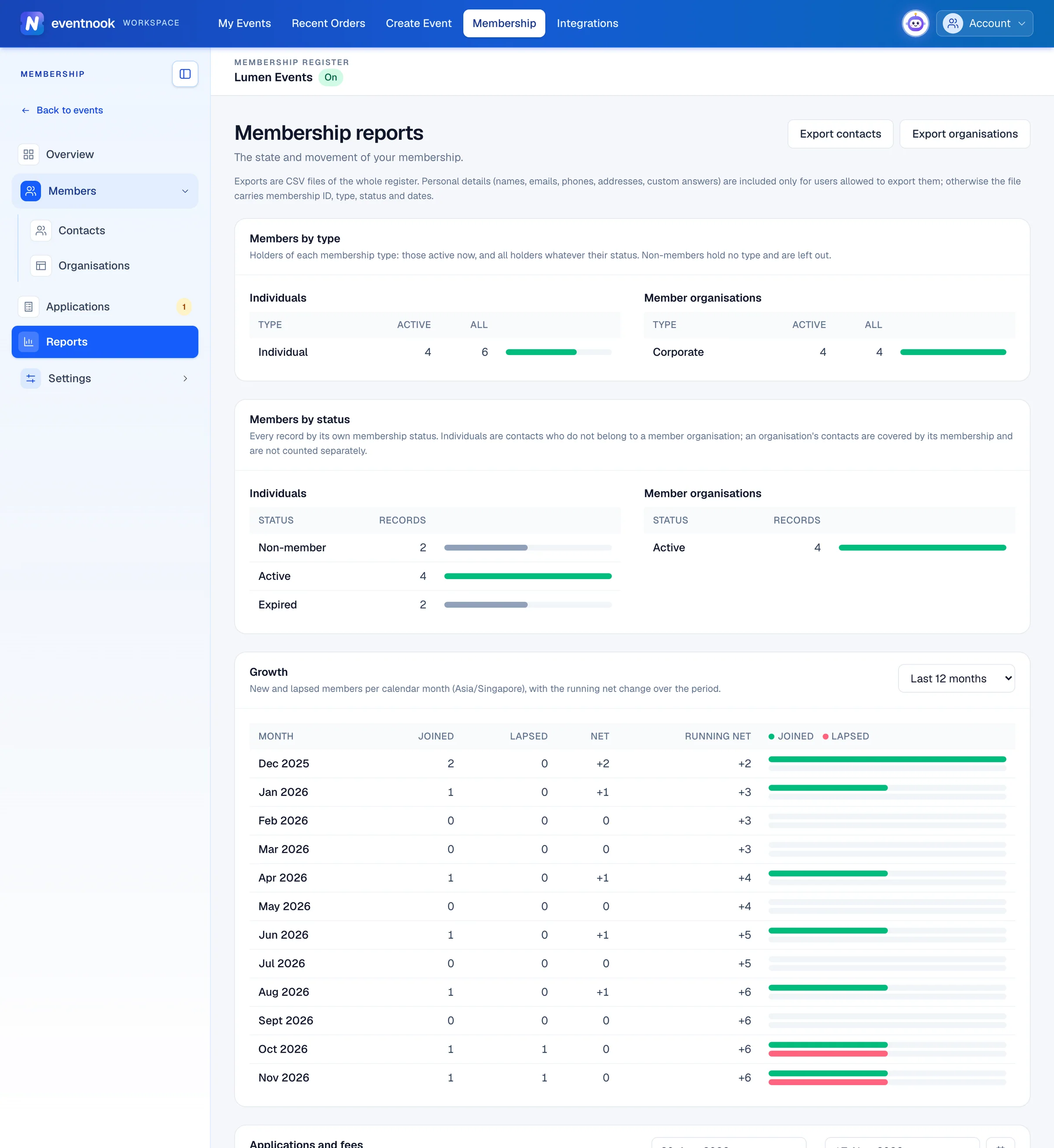
Reports in the membership menu shows how your membership stands and how it's changing. Each card loads on its own, so one slow report never holds up the rest.
- 1The whole register of contacts, as a file
- 2Members who joined and lapsed each month
What each card shows#
| Card | What it tells you |
|---|---|
| Members by type | For each membership type, how many holders are active now and how many there are in all. Non-members hold no type and aren't counted. |
| Members by status | How many records are Active, Expired, Pending and so on. |
| Growth | New and lapsed members each calendar month, with the running net change. |
| Applications and fees | Applications Received, Approved, Rejected, Awaiting review and Awaiting payment in a period, the Approval rate, and the Membership fees collected by payment method. |
| Event participation | For each linked event: its Attendees, the Members among them, and the Members attended. Below it, your most engaged members. |
Individuals and member organisations are counted separately. People who are members through their organisation are counted with the organisation, not on their own.
Change the period#
- On Growth, choose Last 6 months, Last 12 months, Last 24 months or Last 36 months.
- On Applications and fees, set From and To. Until you do, it shows the last 90 days.
Days and months are counted in your organisation's timezone.
Export the register#
Click Export contacts or Export organisations at the top. Each downloads the whole register as a spreadsheet file.
For a filtered list, such as members expiring this month, use Export CSV on Contacts or Member organisations instead.
If something looks wrong#
- "The event link is off, so members are not matched to event attendees." Switch it on under Event link.
- Fewer members at an event than you expect. This report matches attendees to members by email only.
- The approval rate shows a dash. No application in that period has been decided yet.
- There are no export buttons. Your role can't export. Ask an owner or admin.
Who can do this#
Organisation owners and admins can see the reports and export the register.
Related guides
- Get started with MembershipSwitch on the membership register for your organisation, find your way around it, and read the overview of members, applications and renewals.
- Manage member contactsFind, add and edit the people in your membership register, give them a membership, renew it, and archive a contact you no longer need.
- Review membership applicationsApprove or reject applications to join, record a fee paid by bank transfer, cheque or cash, and enter an application on someone's behalf.
- Membership settingsSet the membership currency, numbering and renewal reminders, define your membership types, word the membership emails, and link members to your events.
Still stuck? In EventNook, ask HeyNook. It knows the page you're on and your event, and can take you straight to the right setting.