Get started with Membership
Switch on the membership register for your organisation, find your way around it, and read the overview of members, applications and renewals.
Where to find it: Event admin › Membership › Overview
Membership is a register of your members, kept for the whole organisation rather than for one event. It holds the people (contacts) and the companies or associations (member organisations) who are members, their membership types and expiry dates, and the applications people send in through your online form.
Membership is optional. It works without events, and your events work without it. If you want to, you can link the two to see which members registered for and attended your events.
Before you start#
- You need to be an owner or admin of the organisation.
- Membership is part of your plan. If a membership page says This feature is not included in your plan., contact EventNook.
Switch Membership on#
- Click Membership in the top bar.
- If it says Membership is not switched on, click Open settings. Otherwise open Settings › General in the membership menu.
- Under Membership module, turn on Use membership for this organisation.
- Optional: check the Currency code for membership fees, the Numbering of membership IDs and applications, and Expiry and reminders. See Membership settings.
- Click Save general settings.
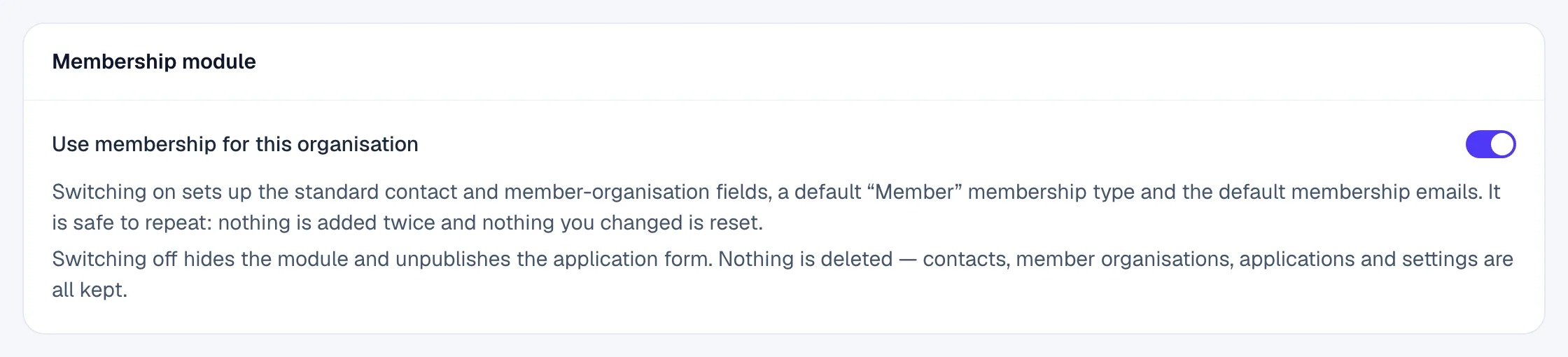
Switching on sets up the standard contact and member-organisation fields, a default Member membership type and the default membership emails. It's safe to do again: nothing is added twice, and nothing you changed is reset.
Switching off hides the register and unpublishes the application form. Nothing is deleted: contacts, member organisations, applications and settings are all kept.
Find your way around#
Membership has its own menu on the left, and the organisation it belongs to at the top with On or Off. If you're in more than one organisation, choose one from the list at the top right.
| Menu | What's there |
|---|---|
| Overview | Headline numbers: members, applications and renewals. |
| Members › Contacts | Every person in the register. See Contacts. |
| Members › Organisations | Companies and associations that hold a membership. See Member organisations. |
| Applications | Requests to join, waiting for your decision. See Review applications. |
| Reports | How your membership stands and changes. See Membership reports. |
| Settings | General, Membership Types, Fields, Application Form, Email Templates and Event Link. |
Read the overview#
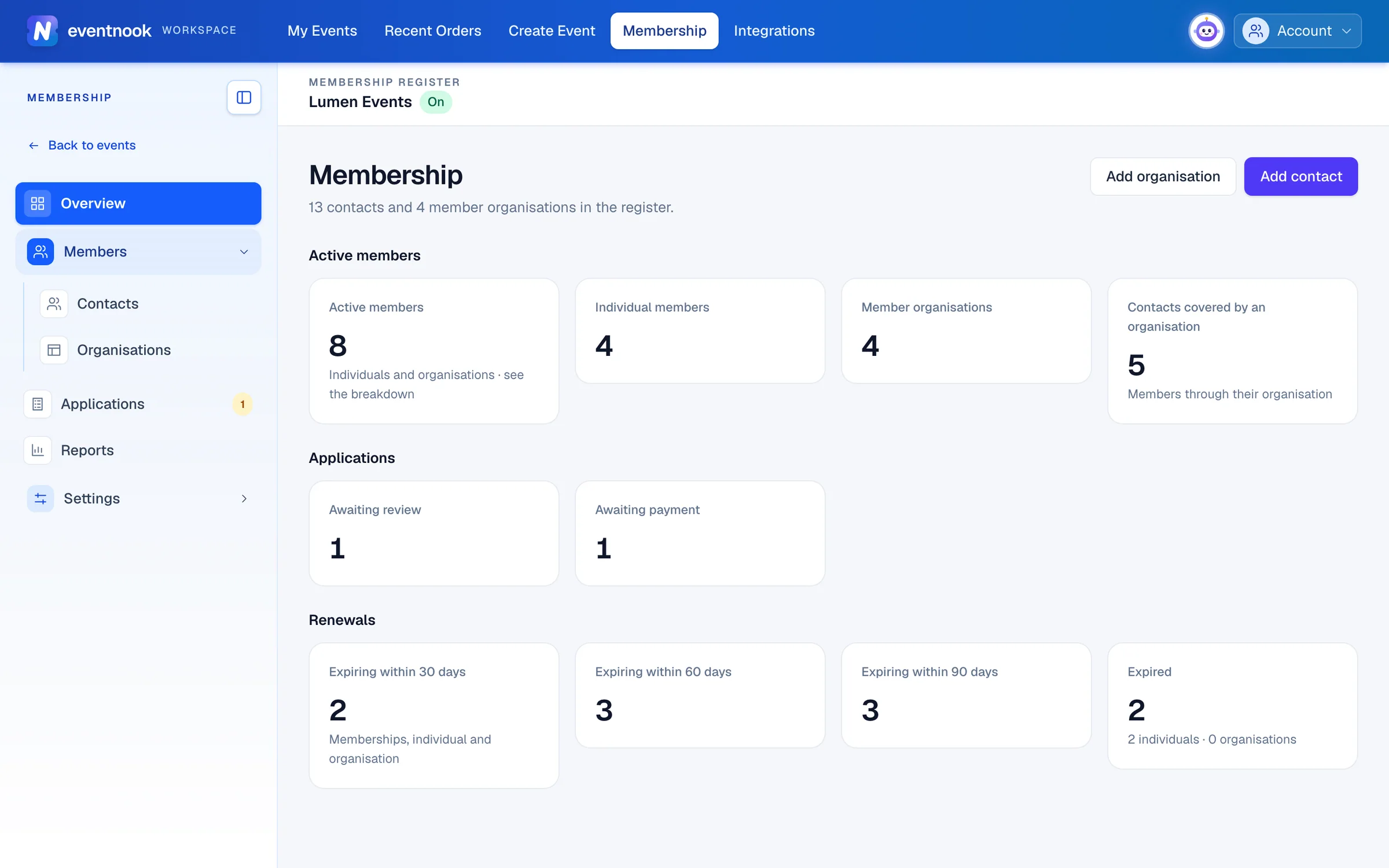
The Overview shows how many contacts and member organisations are in the register, and three groups of figures. Click any tile to open the list behind it.
- 1Add a person to the register
- 2Applications waiting for a decision
- 3Memberships to renew soon
| Group | Tiles |
|---|---|
| Active members | Active members, Individual members, Member organisations and Contacts covered by an organisation. |
| Applications | Awaiting review and Awaiting payment. |
| Renewals | Memberships Expiring within 30 days, 60 days and 90 days, and those already Expired. |
To add someone from here, click Add contact or Add organisation.
Set it up in this order#
- Membership types: the tiers you offer, with their fees and terms.
- Fields: what you record about contacts and member organisations.
- Email templates: what applicants and members are told.
- The application form: publish it so people can apply online.
- Add the members you already have, one by one in Contacts and Member organisations.
If something looks wrong#
- "No access to membership". Only organisation owners and admins can open the register.
- "Membership is switched off for this organisation." Turn it on under Settings › General.
- There's no Membership link in the top bar. Your role in the organisation doesn't include it. Ask the owner or an admin.
Related guides
- Membership settingsSet the membership currency, numbering and renewal reminders, define your membership types, word the membership emails, and link members to your events.
- Manage member contactsFind, add and edit the people in your membership register, give them a membership, renew it, and archive a contact you no longer need.
- Manage member organisationsAdd the companies and associations that hold a membership, add the people their membership covers, choose a primary contact, and renew or archive them.
- Review membership applicationsApprove or reject applications to join, record a fee paid by bank transfer, cheque or cash, and enter an application on someone's behalf.
- Set up the online application formPublish the public form people use to apply for membership, choose who can apply and how they pay, and decide which fields the form and the register record.
Still stuck? In EventNook, ask HeyNook. It knows the page you're on and your event, and can take you straight to the right setting.