See your credit usage
See how many email, SMS, WhatsApp and AI credits your organisation used each month, what they cost, and which events used them.
Where to find it: Event admin › Account › Credit Usage
Sending emails, SMS and WhatsApp messages, and using the AI, uses credits. Credit Usage shows how many your organisation used in a month and what they cost, event by event.
Open it from Account › Credit Usage in the top bar.
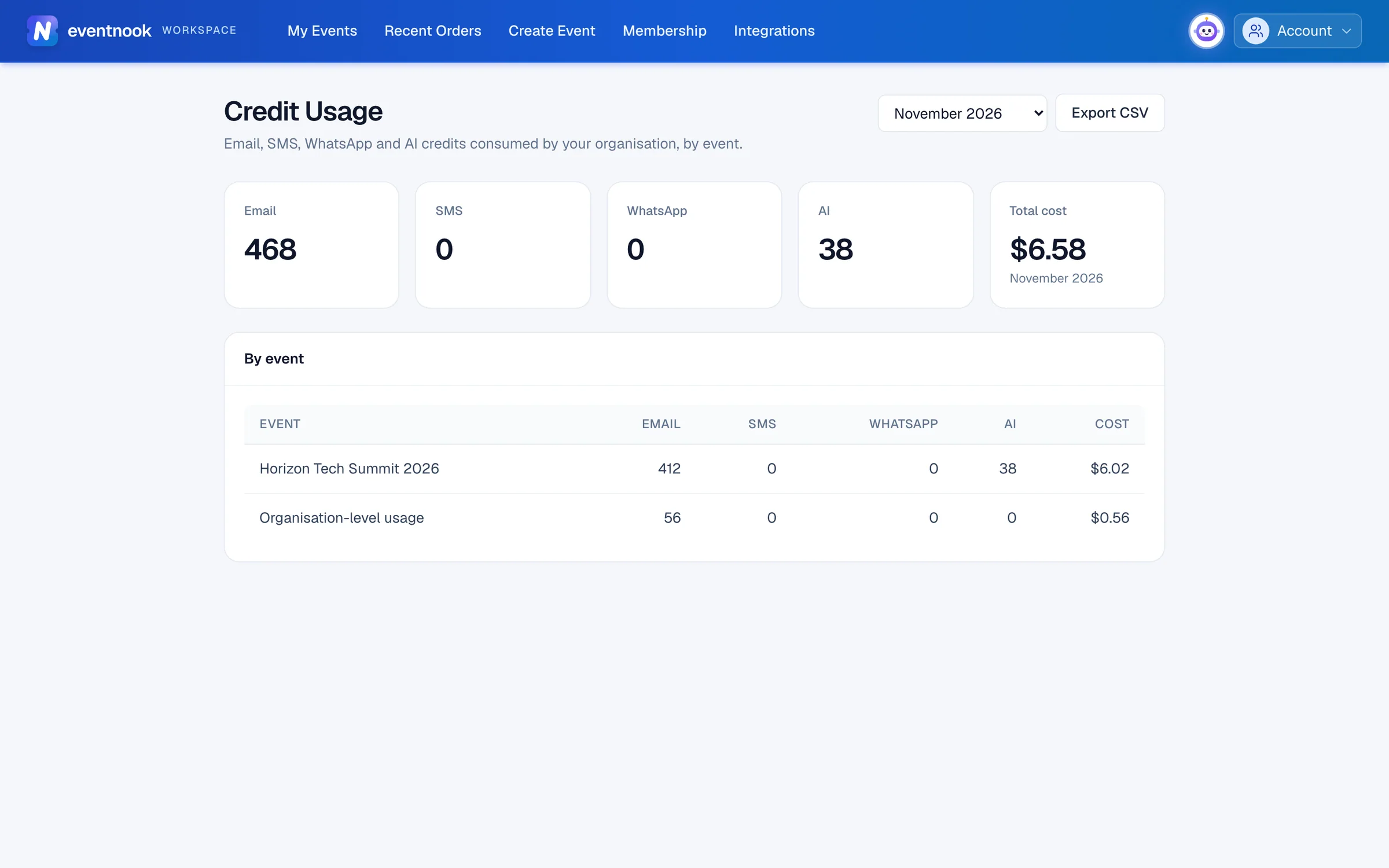
- 1Choose a month, up to 12 months back
- 2Download the month for your finance team
- 3Each event's credits and cost
Read the page#
- The tiles at the top: the month's totals for Email, SMS, WhatsApp and AI, and the Total cost.
- By event: one row per event with its credits of each kind and its Cost. An event that was deleted since is marked deleted. Credits that don't belong to one event are on a row called Organisation-level usage.
Look at another month#
Choose it in the month list at the top. You can go back 12 months, including the current one.
Share it with your finance team#
Choose the month and click Export CSV to download that month's usage as a spreadsheet file.
Switch organisation#
If you're an owner or admin of more than one organisation, choose one from the organisation list at the top.
If something looks wrong#
- "No billing access". Only organisation owners and admins can see credit usage.
- One of your organisations isn't in the list. You're a member there, not an owner or admin.
- "No credits were used in this month." Nothing was sent or used that month. Try another month.
- "Choose a month within the last 12 months". Older months aren't available.
Related guides
- Connect a payment accountConnect your organisation's Stripe or PayPal account so buyers' payments go straight to you, choose the default for new events, and see what you pay EventNook.
- Organisations and rolesSee the organisations you belong to, switch between them, create one, edit its profile, manage its members and their roles, and check its plan, activity and security log.
- Email your attendees or buyersWrite one email to your attendees or the people who placed orders, choose exactly who gets it, and send it now or at a time you choose.
Still stuck? In EventNook, ask HeyNook. It knows the page you're on and your event, and can take you straight to the right setting.