Edit your profile
Change your name, display name, job title and contact details, see your account's status, and choose how HeyNook looks to you.
Where to find it: Event admin › Account › My Profile
Your profile is how you appear to your team: in invitations, in the activity log and in greetings. Only you can change it, and it's the same in every organisation you belong to.
Open it from Account › My Profile in the top bar.
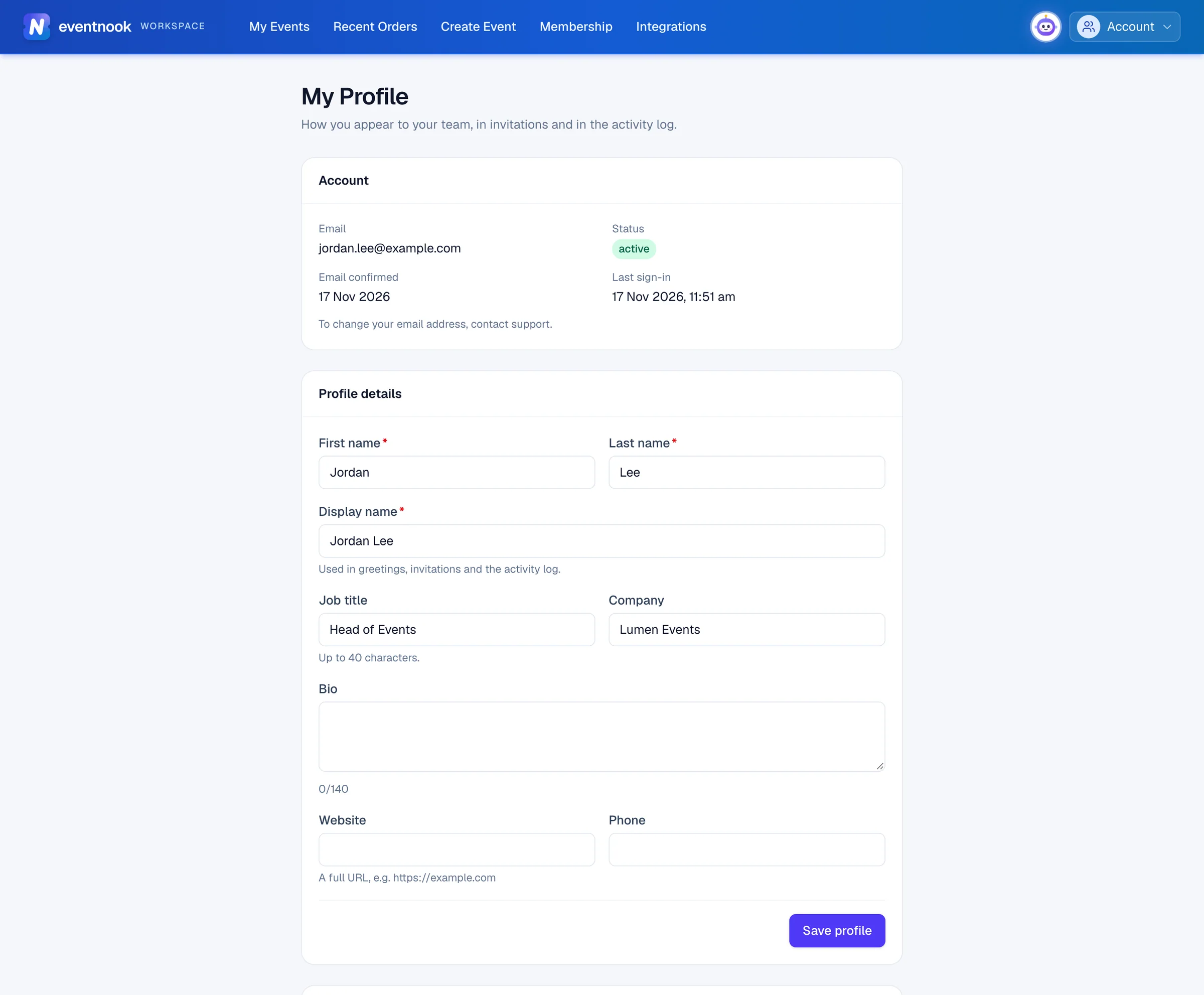
- 1The name your team sees in invitations and the activity log
- 2Saves the profile details
Change your details#
- Open Account › My Profile.
- Under Profile details, change what you need.
- Click Save profile. The page says Profile saved.
| Field | What it's for |
|---|---|
| First name, Last name | Your name. Both are required. |
| Display name | Required. Used in greetings, invitations and the activity log. |
| Job title | Optional, up to 40 characters. |
| Company | Optional. |
| Bio | Optional, up to 140 characters. The counter below shows how many you've used. |
| Website | Optional. A full address, such as https://example.com. |
| Phone | Optional. |
Your account#
The Account card at the top shows your Email, your account's Status, when your email was confirmed, and your Last sign-in.
Your email address can't be changed here. To change it, contact EventNook support.
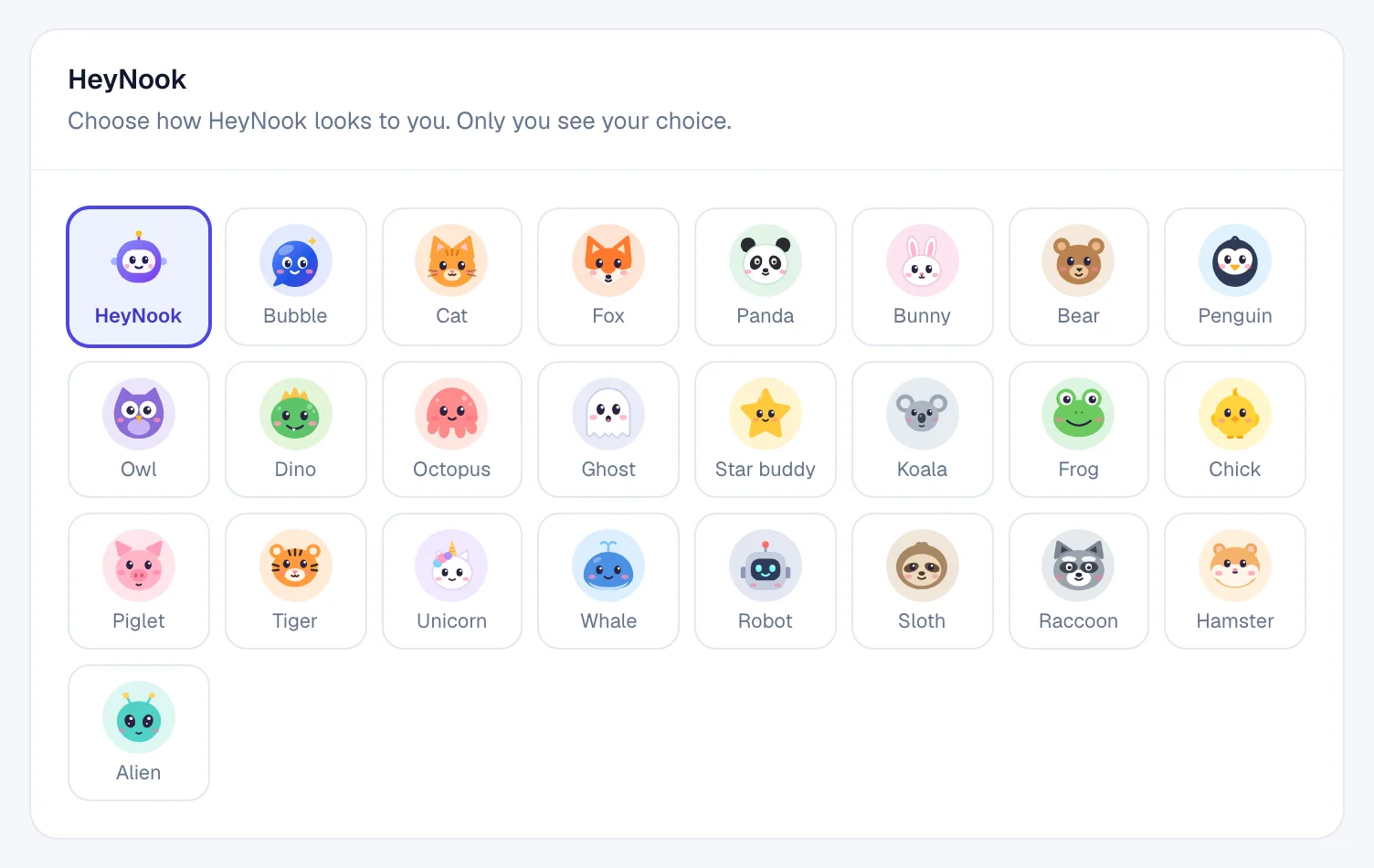
Choose how HeyNook looks to you#
Under HeyNook, click the character you'd like. It saves straight away, and every HeyNook face you see changes with it. Only you see your choice: your teammates see the one they chose.
If something looks wrong#
- "Your choice wasn't saved. Try again." The connection dropped. Click the character again.
- A field is marked in red when you save. Fix what it says, such as a website without
https://, and click Save profile again. - Your password or sign-in settings aren't here. They're under Account › Change Password and Account › Two-Step Verification. See Change your password and two-step verification.
Related guides
- Change your password and two-step verificationChange your password, sign out other devices, add an authenticator app or text-message codes, keep recovery codes, and reset a forgotten password.
- Organisations and rolesSee the organisations you belong to, switch between them, create one, edit its profile, manage its members and their roles, and check its plan, activity and security log.
- Ask HeyNookAsk HeyNook about your event in your own words, let it take you to the right page, bring in its specialists, and approve the changes it suggests.
Still stuck? In EventNook, ask HeyNook. It knows the page you're on and your event, and can take you straight to the right setting.