Open your e-certificate
Open the certificate the organiser gives you after the event, save it as a PDF, copy its link or add it to LinkedIn.
After the event, the organiser may give you an e-certificate with your name on it, such as a certificate of attendance. You open it online, then save it as a PDF, share its link or add it to LinkedIn.
Open it from your email#
Click the certificate link in the organiser's email. It opens your own certificate straight away, with no sign-in.
Open it on the certificate page#
- Open the certificate page from the organiser's link or the event's site. It's headed Get my certificate.
Do one of these, depending on what the page offers:
- Type the email you registered with, click Email me a code, and type the 6-digit code you're sent.
- Under QR code ID, type the ticket code printed under the QR code on your e-ticket, also shown as Ticket code in My Order, and click Open my certificate. Where your browser can read QR codes, you can click Scan my ticket's QR code instead and hold your ticket up to the camera.
- Your certificate opens.
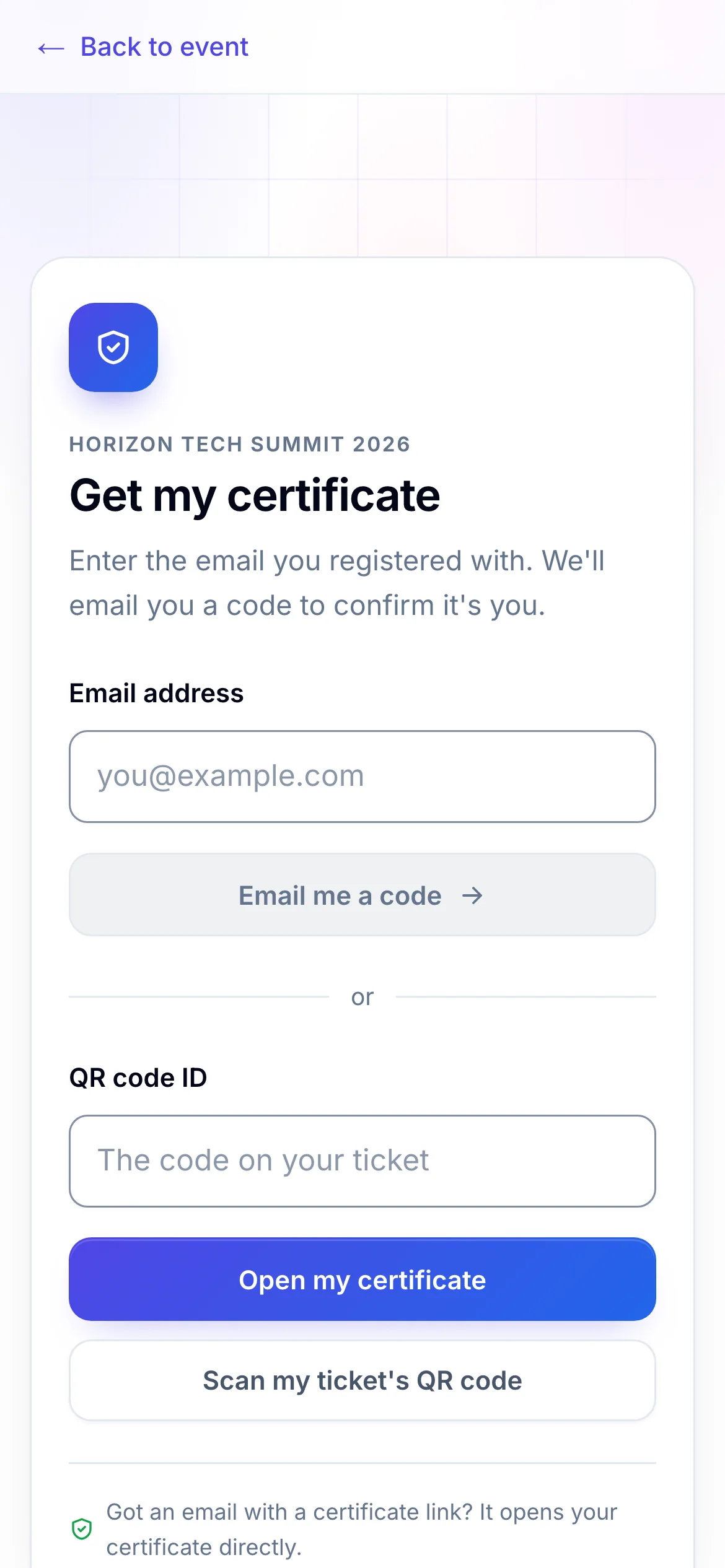
- 1Get a code sent to the email you registered with
- 2Or use the code from your ticket
If you're already signed in to My Order on this browser, the page shows your certificate without asking again.
Save, share or print it#
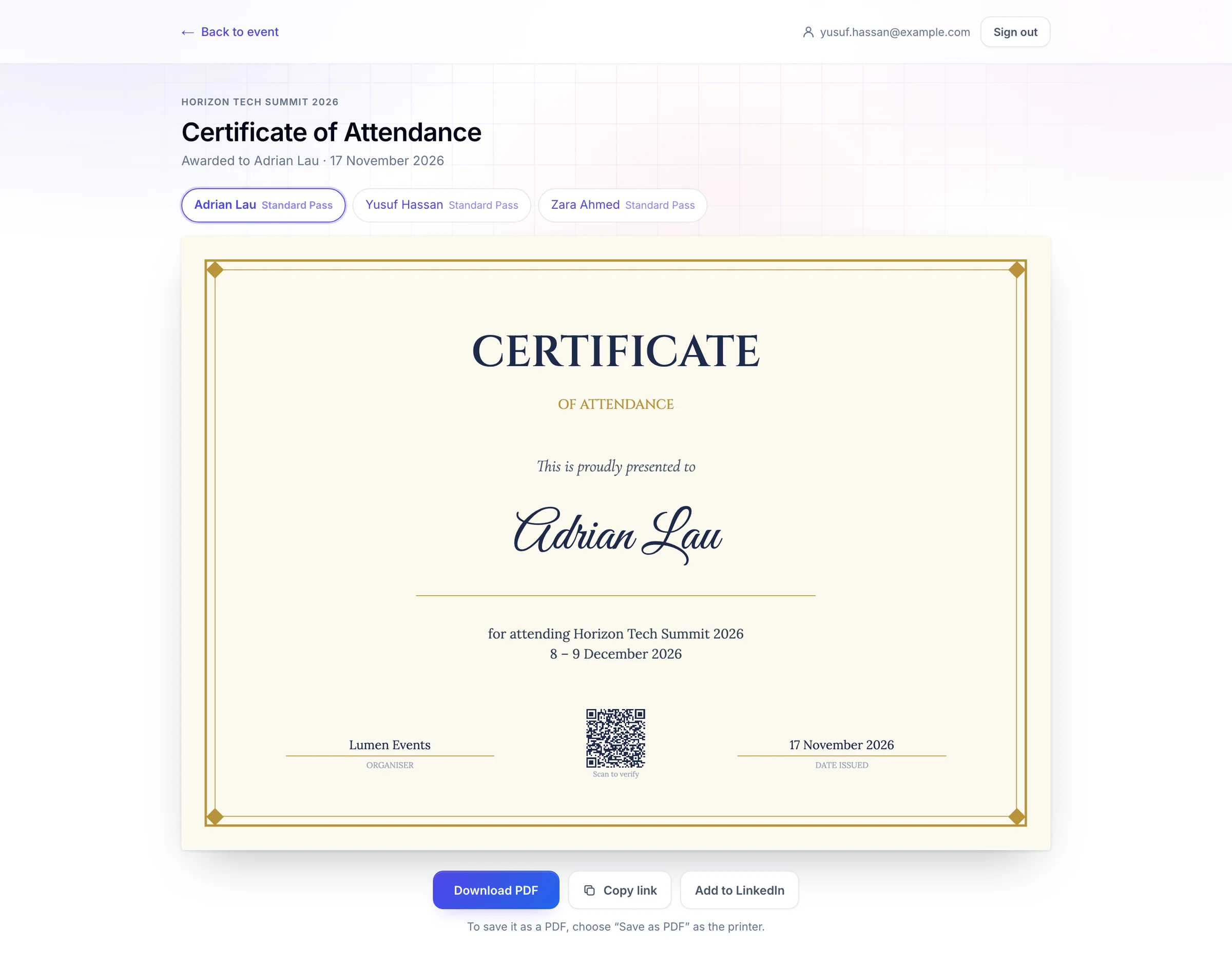
- 1Print it, or save it as a PDF
- 2A link to your certificate, to share
- 3Add it to your LinkedIn profile
| Button | What it does |
|---|---|
| Download PDF | Opens the print dialog. Choose Save as PDF as the printer to keep a file, or print it at its true size. |
| Copy link | Copies a link to your certificate. Anyone with the link can see it. |
| Add to LinkedIn | Opens LinkedIn's form for adding a certification, filled in. Check it and save it there. |
If you registered several people, or the event gives more than one certificate, choose whose or which one from the list above the certificate.
If something looks wrong#
- No certificate yet. The organiser may give certificates after the event, or only to people who attended. Check back later, or contact the organiser. Try another way goes back to the page's sign-in.
- Certificates aren't available yet. The organiser hasn't published one for this event yet.
- Open your certificate from your email. This event's certificates open only from the link in the organiser's email.
- Too many tries. Please wait a few minutes, then try again. Wait, then check the code or email you typed.
- The camera couldn't be opened. Type the code instead. Your browser blocked the camera, or there isn't one. Type the ticket code.
- Your name is wrong on the certificate. Ask the organiser to correct it. The same link then shows the corrected certificate. If you saved a PDF, save it again.
For organisers#
e-Certificates is an add-on app. Design the certificate, choose who gets it and how they open it, publish it and email the links: Give attendees e-certificates.
Related guides
Still stuck? In EventNook, ask HeyNook. It knows the page you're on and your event, and can take you straight to the right setting.