Use an invitation or discount code
Enter a discount code to take money off your tickets, or an invitation code to see tickets that are kept for invited guests.
Codes come from the organiser, in an invitation, a newsletter or a member mailing. A discount code takes money off a paid ticket. An invitation code unlocks tickets that are kept for invited guests, and some tickets can't be bought without one. You enter both on the ticket step of registration.
Enter a discount code#
- On the registration page, choose your tickets.
- Click Have a discount code?, type the code and click Apply. Capitals don't matter.
- Check the line below the box. It names your code and what it takes off, such as Code EARLY20 applied: … off. The Register button shows the new total.
- Click Register and carry on as usual.
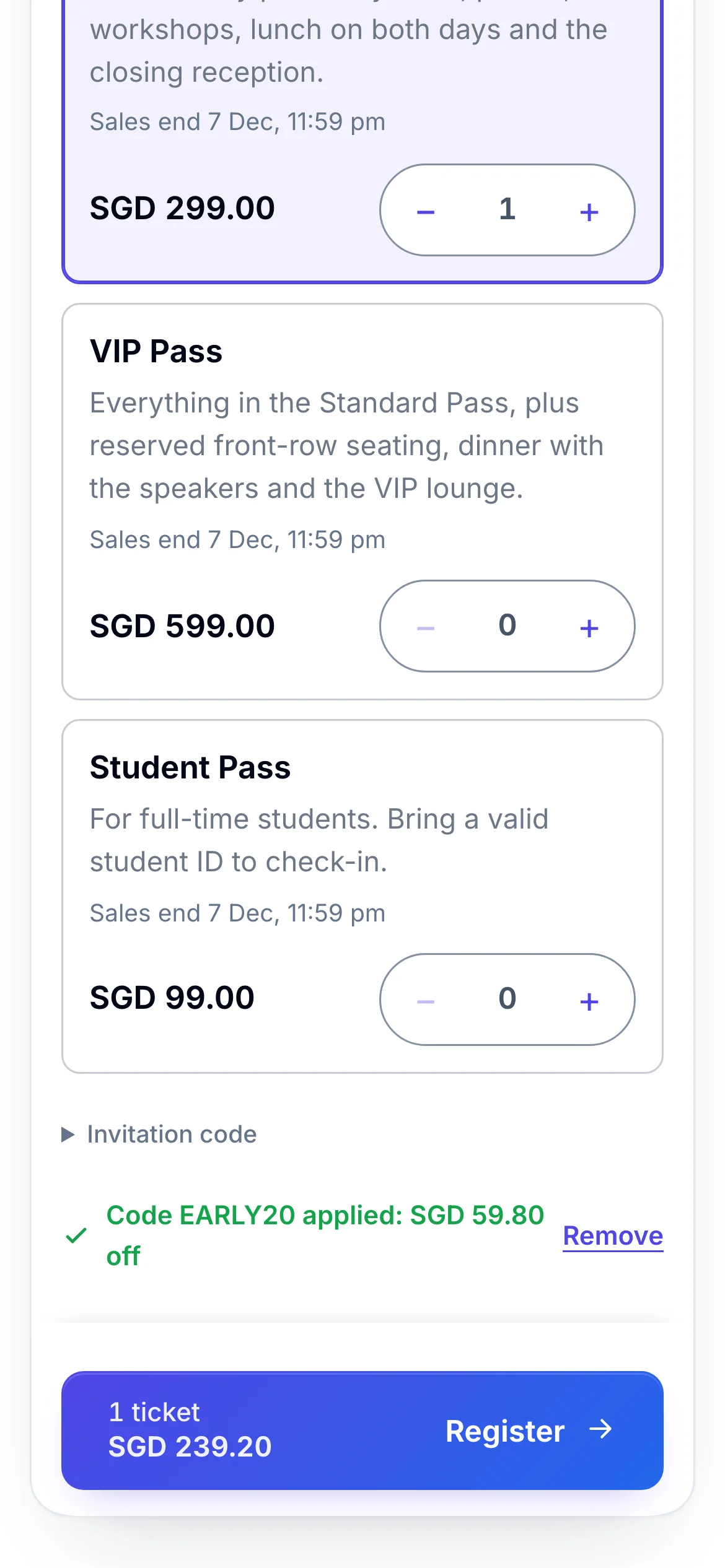
- 1The code, and what it takes off
- 2The total on the button already includes the saving
If you enter the code before choosing tickets, the page says the code is ready and shows the saving once you choose. Sometimes the saving can't be worked out on this step, and the page says the code will be applied at the next step: the order summary then shows a Discount line.
To take a code off, click Remove beside it.
If the organiser sent you a link with the code in it, the code is already filled in when the page opens.
Enter an invitation code#
- On the registration page, click Invitation code.
- Type the code and click Apply. The ticket list refreshes with the tickets the code unlocks.
- Choose your ticket and click Register.
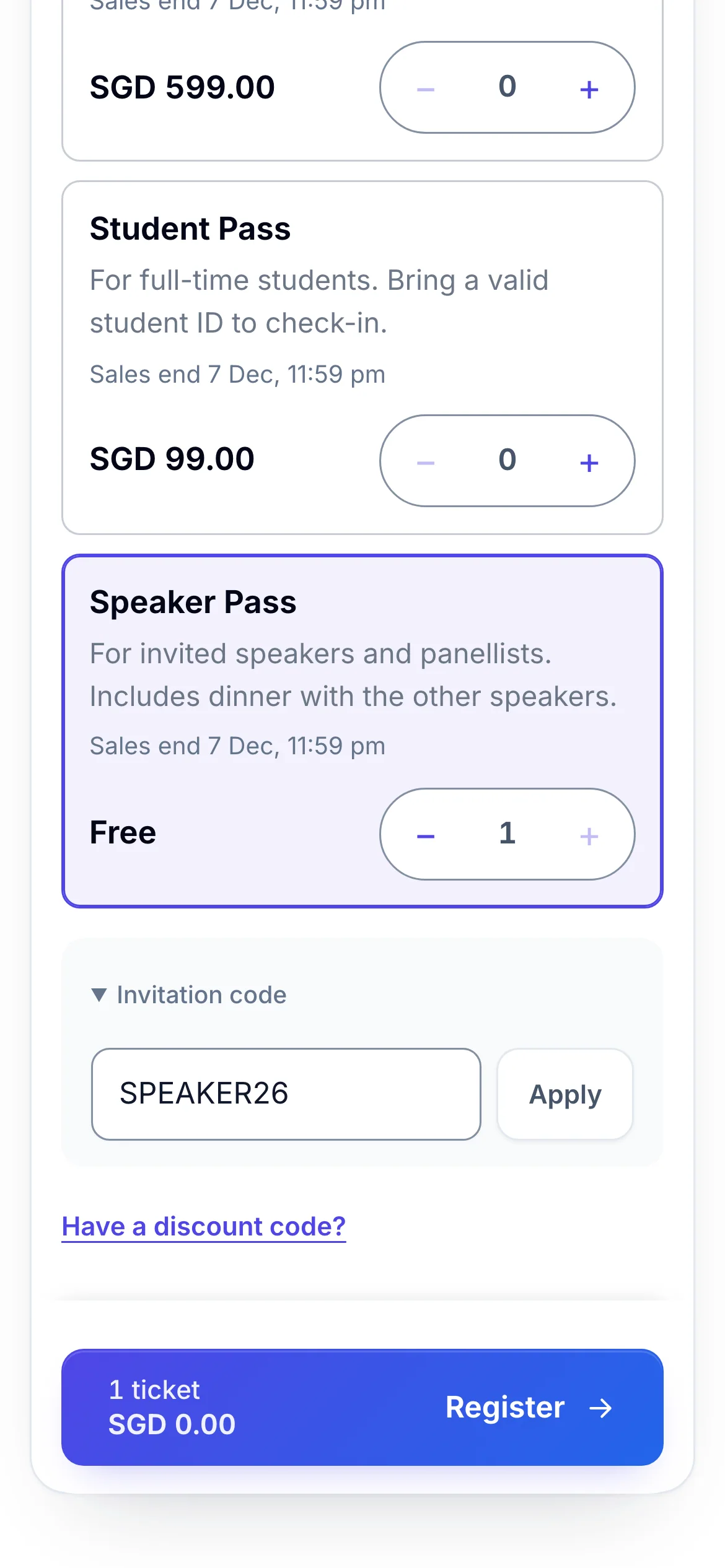
- 1Where the invitation code goes
- 2The ticket the code unlocks
When an event has no public tickets, the page says No tickets are currently available. Have an invitation code? Enter it below.
Enter a category code#
Some events price tickets by category, such as Member or Student. Choose your Ticket category. If it asks for a Category access code, type the code the organiser gave you, then click Show tickets to see that category's prices.
If something looks wrong#
| The page says | What to do |
|---|---|
| This code is not valid. | Check the spelling, and that it's a code for this event. |
| This code has expired. | The code's dates have passed. Ask the organiser whether there's a new one. |
| This code is not active yet. | The code starts later. Try again after its start date. |
| This code has been fully used. | Everyone it was meant for has used it. |
| This code does not apply to the selected tickets. | It's for other tickets. Choose one it covers, or remove the code. |
| This code needs a different number of tickets. | It works for a minimum or maximum number of tickets. Change how many you chose. |
- The discount box isn't there. The event doesn't take discount codes, or it's free.
- The invitation box isn't there. The event doesn't use invitation codes. If you were sent a link, open that link instead.
For organisers#
- Create codes, set their dates, limits and the tickets they cover: Discount codes and Invitation codes.
- Category prices and their access codes: Set early-bird and category prices.
- Whether the code boxes appear, and their wording: Set when and how people register and Change the wording people see.
- A link with a discount code already in it: Share your event's links.
Related guides
Still stuck? In EventNook, ask HeyNook. It knows the page you're on and your event, and can take you straight to the right setting.