Tell the organiser you can't attend
Use the organiser's "Can't make it?" form to say you won't be coming, and why, in a minute.
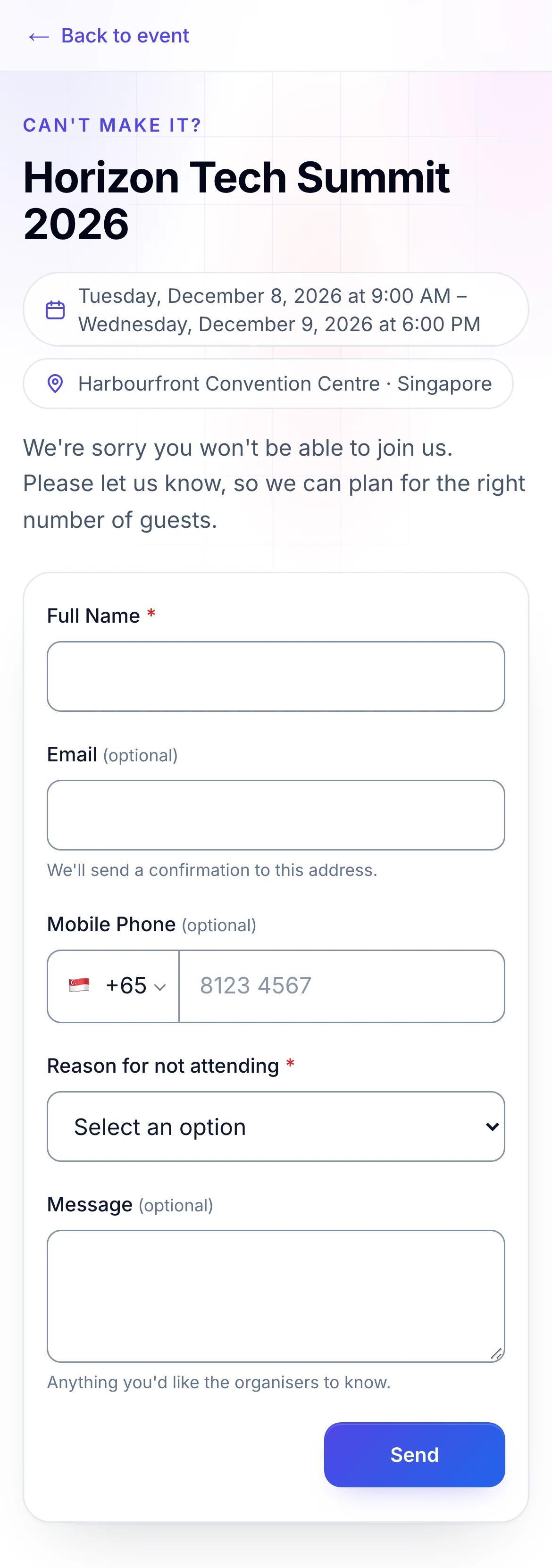
If you were invited but can't come, the organiser may send you a link to a short form headed Can't make it?. It lets them know not to expect you, so they can plan for the right number of guests.
Send your reply#
- Open the link from the organiser's email or invitation.
- Type your Full Name and choose a Reason for not attending. Both are required, marked *.
- Optional: add your Email, Mobile Phone and a Message: anything you'd like the organisers to know.
- Click Send.
The form is replaced by Thank you for letting us know. If you gave your email, you're usually sent an email confirming your reply.
- 1Say why you can't come
- 2Sends your reply to the organiser
The reasons offered are Schedule conflict, Travelling, Unwell, Work commitments, Personal reasons and Other (please specify), where you type your own. The organiser can change the questions, the reasons and the button's words, so the form you see may differ.
If something looks wrong#
- This form isn't taking replies at the moment. Please contact the organiser. The organiser has closed the form. Reply to their email instead.
- Please check the highlighted answers. A required answer is missing or not valid. The message beside the field says which.
- Too many replies from here. Please wait a while and try again. Many replies came from your network in a short time. Wait, then send again.
- The page asks for an access code. The event site is private. Enter the code the organiser gave you and click Continue.
For organisers#
Open the form, choose its questions, design its page and acknowledgement email, and read the replies: Let people tell you they can't attend.
Related guides
Still stuck? In EventNook, ask HeyNook. It knows the page you're on and your event, and can take you straight to the right setting.