Clone an event
Start next year's edition, or a similar event, as a new draft with this event's setup, new dates and only the parts you choose to copy.
Where to find it: Event admin › Event setup › More settings › Event settings › Clone event
Cloning makes a new draft event from this one, with its tickets, form, emails, website and settings, and new dates. Registrations, orders and payments are never copied, so the new event starts empty.
Clone an event#
- Open the event you want to copy. In Event settings, under Team & cloning, click Clone event.
- In New event, check the Title. It starts as this event's title with "(Copy)" after it.
- Optional: choose another organisation in Create in organisation. Only organisations where you are an Owner or Admin are listed.
- Check the Timezone, Starts and Ends. The dates start one year after this event's. The line below them says how many days every date shifts and when registration will open and close.
- In What to copy, tick the parts of the setup to copy and untick the rest.
- Click Clone event. The page shows Clone created and a report of what was copied.
- Click Open the new event. It opens on Event details, as a draft.
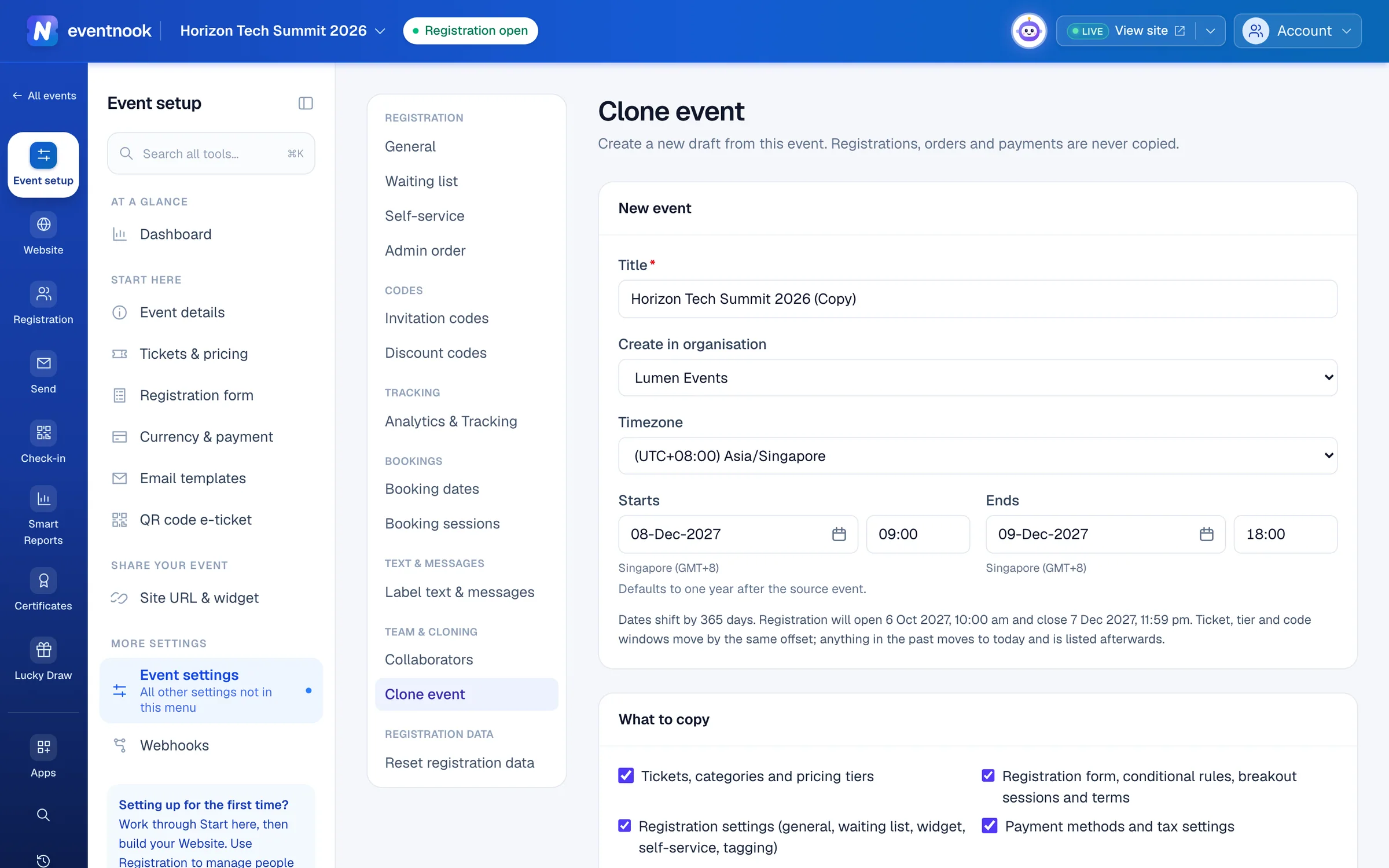
- 1The new event's name
- 2Create it in another organisation you run
- 3The new dates; every other date moves by the same number of days
The event's details, such as its venue, currency and capacity, always come with it. A clone of a test event is a test event too.
What you can copy#
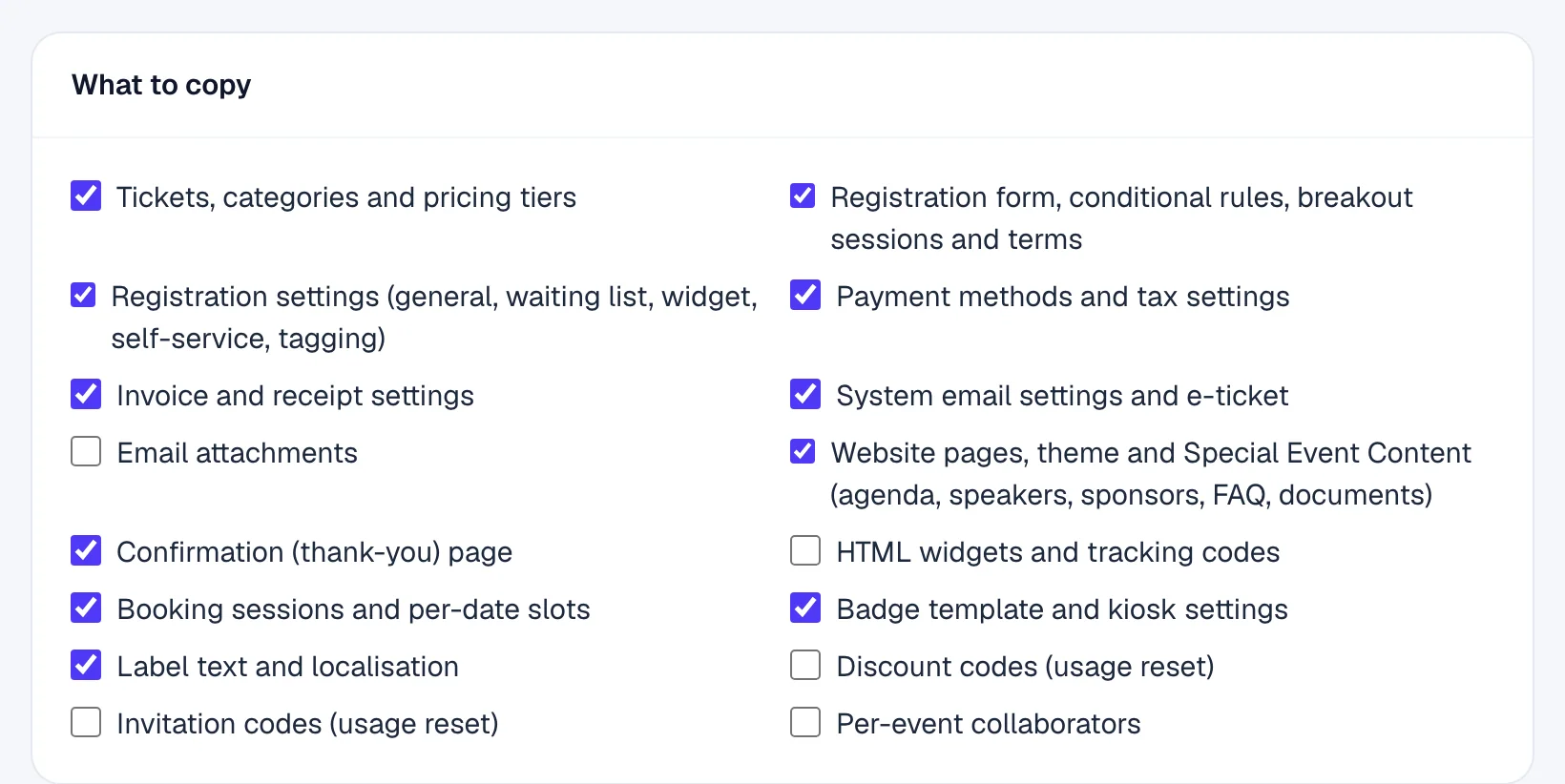
| Part | Ticked to start with |
|---|---|
| Tickets, categories and pricing tiers | Yes |
| Registration form, conditional rules, breakout sessions and terms | Yes |
| Registration settings (general, waiting list, widget, self-service, tagging) | Yes |
| Payment methods and tax settings | Yes |
| Invoice and receipt settings | Yes |
| System email settings and e-ticket | Yes |
| Email attachments | No |
| Website pages, theme and Special Event Content (agenda, speakers, sponsors, FAQ, documents) | Yes |
| Confirmation (thank-you) page | Yes |
| HTML widgets and tracking codes | No |
| Booking sessions and per-date slots | Yes |
| Badge template and kiosk settings | Yes |
| Label text and localisation | Yes |
| Discount codes (usage reset) | No |
| Invitation codes (usage reset) | No |
| Per-event collaborators | No |
Copied discount and invitation codes start with no uses. Links inside copied pages and emails that pointed to this event, such as the link to manage an order, point to the new event instead.
How dates move#
Every date in the setup moves by the same number of days as the event: ticket sales windows, pricing tiers and the dates codes are valid. Anything that would land in the past moves to today instead, and the report lists it so you can set a better date.
Read the report#
After cloning, the page lists:
| Part | What it tells you |
|---|---|
| Copied | How many of each thing were copied, and how many files. |
| Warnings | Things to check in the new event, such as files that couldn't be copied and need uploading again. |
| Dates moved to today because they would have been in the past | Each date that was moved. |
| Skipped | What wasn't copied, and why. |
Never copied, whatever you tick: orders, attendees, payments, invoices and receipts, code uses, check-ins, audit history, and webhooks with their deliveries. Every count in the new event starts at zero.
If something looks wrong#
- The organisation list is empty, or cloning says "Resource not found". You can only create events in an organisation where you are an Owner or Admin. Ask one of them to clone it, or to give you that role.
- Cloning says your plan allows a number of events. The organisation already has as many events as its plan allows. Contact EventNook about your plan.
- "The event cannot end before it starts". Set Ends after Starts.
- Pictures are missing in the new event. A file couldn't be copied; the report's Warnings say how many. Upload them again in the new event.
Who can do this#
The Owner, Admin and Event Admin roles can open Clone event. Creating the new event needs the Owner or Admin role in the organisation it goes in.
Related guides
- Change your event's detailsEdit the event's name, dates, registration window, venue, organiser details and images, and switch it between a free and a paid event.
- Share your event's links and embed the registration widgetChange the event's web address, copy its links and QR codes, put the registration widget on your own website, and make private, pre-filled and custom-domain links.
- Give people access to an eventInvite someone to work on one event with the role they need, choose features one by one with a custom role, change or end their access, and see who else can reach the event.
- Find your eventsFind any event you can work on, narrow the list by status or whose event it is, bookmark the ones you use most, and bring events back from the Archive.
Still stuck? In EventNook, ask HeyNook. It knows the page you're on and your event, and can take you straight to the right setting.