Show questions only when they apply
Ask a follow-up question only after a particular answer, such as dietary details when someone chooses Other, and see every condition on a map.
Where to find it: Event admin › Event setup › Start here › Registration form
Conditional logic keeps the form short. A follow-up question stays hidden until someone gives the answer it belongs to: show Dietary details only when Dietary requirement is Other, or a visa question only for some countries. It works on the attendee, buyer and not-attending forms.
Before you start#
The question that decides needs to be on the published form. Multiple choice, checkboxes, dropdown, country and breakout session questions can show other questions. A question you've only added to the form's draft can get a condition once the draft is published. See Build the registration form.
Show a follow-up question#
- Open Registration form, and in the form's menu click Conditional logic. For the buyer's questions, open Buyer form first.
- Under Questions, click the question whose answers decide, for example Dietary requirement. Follow-ups for lists each of its answers on its own row.
- On the answer's row, click + Show a field.
Choose what to show:
- New question: pick its Type, type the Question and click Create and show. It's added to the form right under the question it follows.
- Existing field: tick one or more questions already on the form and click Show field.
- The question appears on the answer's row. It now stays hidden until someone gives that answer.
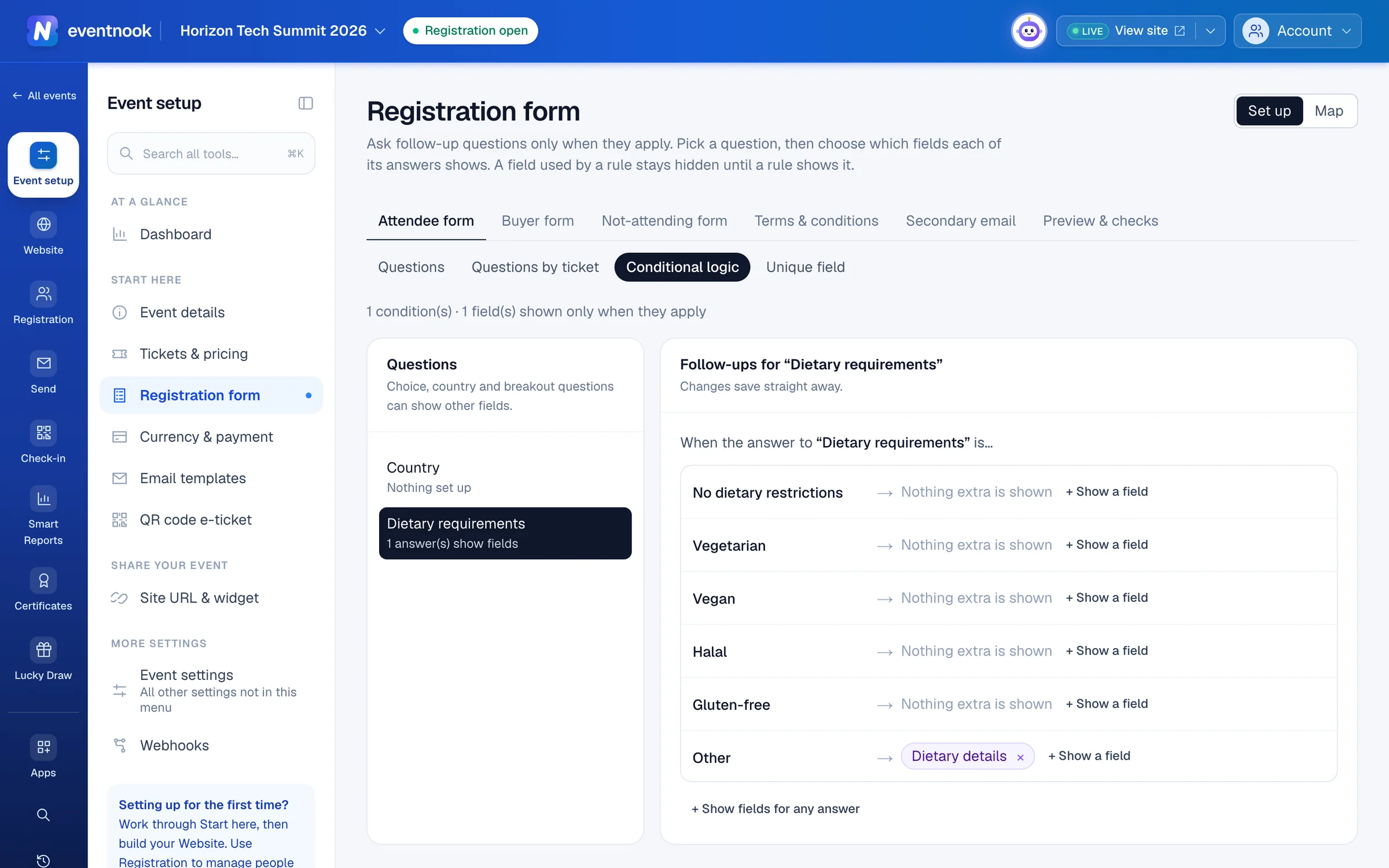
- 1Pick the question whose answers decide
- 2Show a question after this answer
- 3Switch between setting up and the map
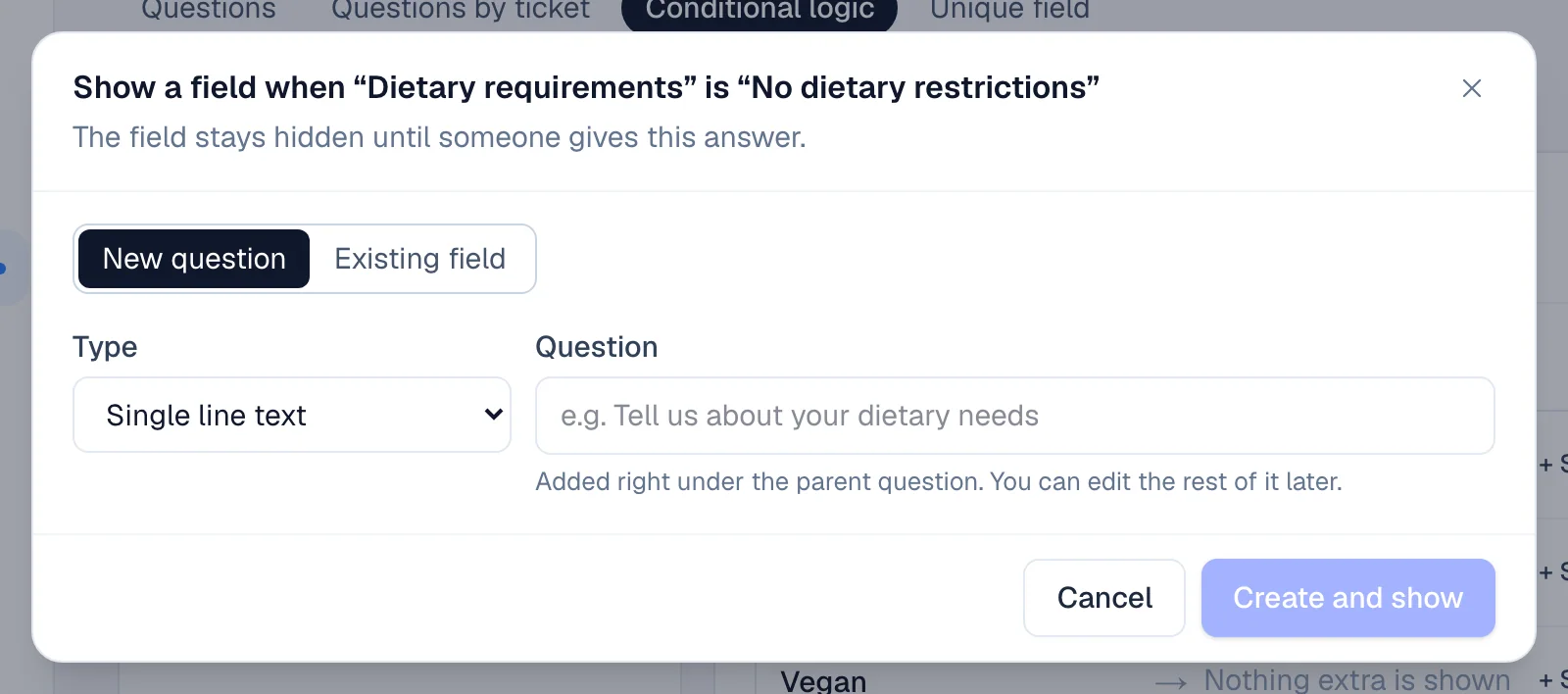
A section header can be shown too: it shows its whole section. When someone ticks several answers of a checkboxes question, the fields of each answer show.
Show fields for any answer, or for some countries#
- + Show fields for any answer shows fields as soon as the question is answered, whatever the answer.
- For a country question, choose the country in + Add a country…, then add the fields it shows.
Stop showing a field#
Click × on the field's chip in the answer's row. The change saves straight away, with no confirmation. The field is then shown to everyone, unless another answer still shows it.
See every condition on a map#
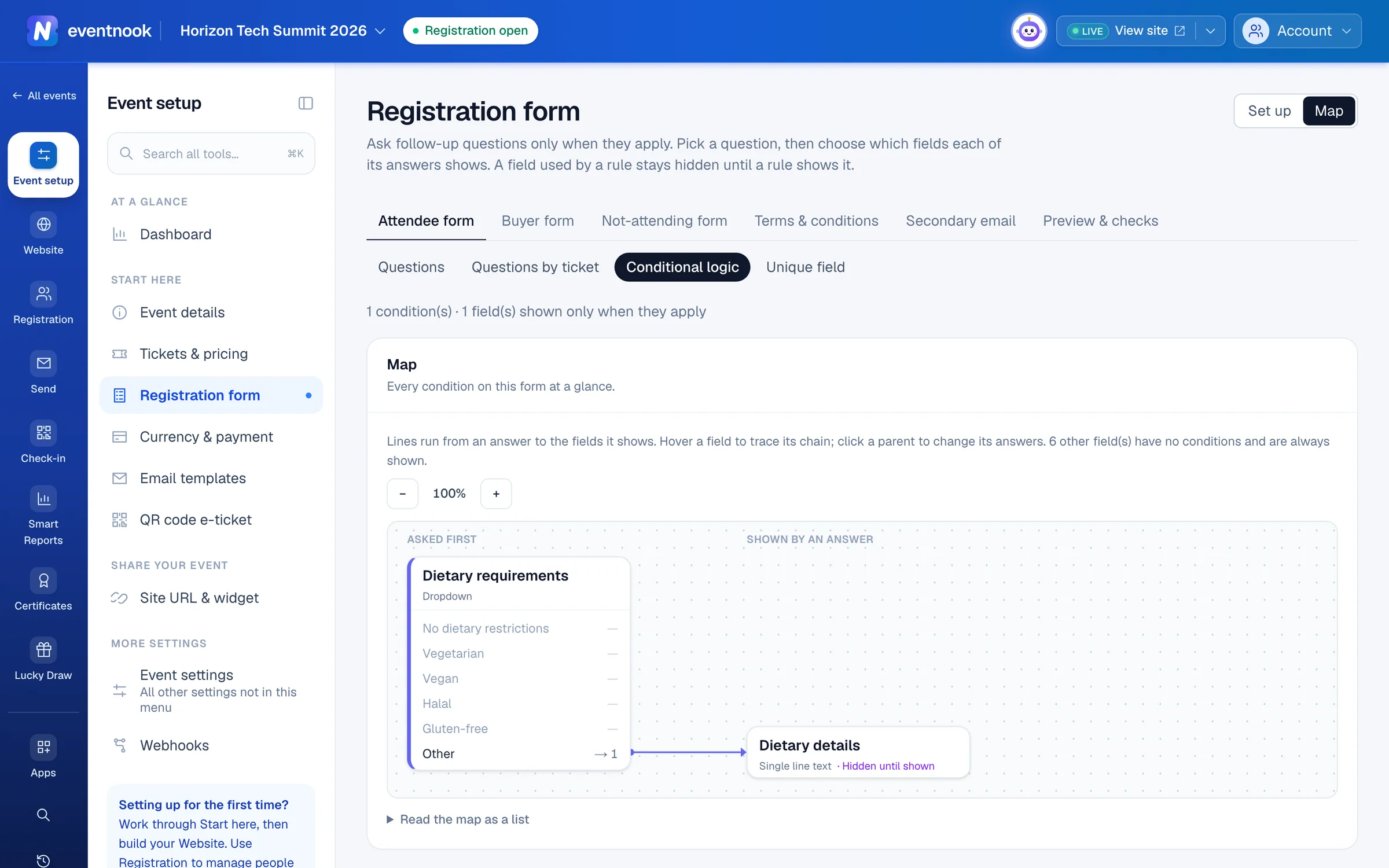
Click Map at the top of the page. Questions asked first are on the left, the fields their answers show to the right, and further levels after that. Point at a field to trace its chain, or click a question to change its follow-ups. Open Read the map as a list to read the same conditions as sentences.
In the form builder, a conditional question says Shown only when … under its label, and a question with follow-ups has a Shows follow-ups link back to this page.
If something looks wrong#
- "No question can show other fields yet". Add a multiple choice, checkboxes, dropdown, country or breakout session question to the form and publish it first.
- A field is marked "Would form a loop" and can't be ticked. Showing it would make two questions show each other. Choose another field.
- A field is marked "Hidden — can never be shown". It has Hide this field ticked in its settings, so no answer can show it. Untick it in the field editor.
- A warning box says "Check these rules". Something in a condition needs attention, such as a rule that shows a hidden field. Click Show me to open the question involved.
- A question can't be removed in the form builder. A condition uses it. Remove its follow-ups here first.
Who can do this#
Everyone with access to the event can see the conditions. Editors and event admins can add and remove them.
Related guides
- Build the registration formChoose the questions attendees and buyers answer when they register, set each one up, ask some only for certain tickets, and publish the form.
- Stop duplicates, add terms and ask for billing detailsRefuse duplicate registrations, make registrants accept your terms, copy order emails to a second address and choose the billing details buyers give when they pay.
Still stuck? In EventNook, ask HeyNook. It knows the page you're on and your event, and can take you straight to the right setting.