Print invoices and receipts in bulk
Make one printable document with a page for every order's invoice or receipt, then print it or save it as a PDF.
Where to find it: Event admin › Registration › Attendees & orders › Orders › Print invoices & receipts
Print invoices & receipts puts every chosen order's invoice or receipt into one document, a page per order, so you can print or file them all at once. An order that has no invoice number yet gets a pro-forma page, so every chosen order is included.
To open it, click Print invoices & receipts at the top of Orders.
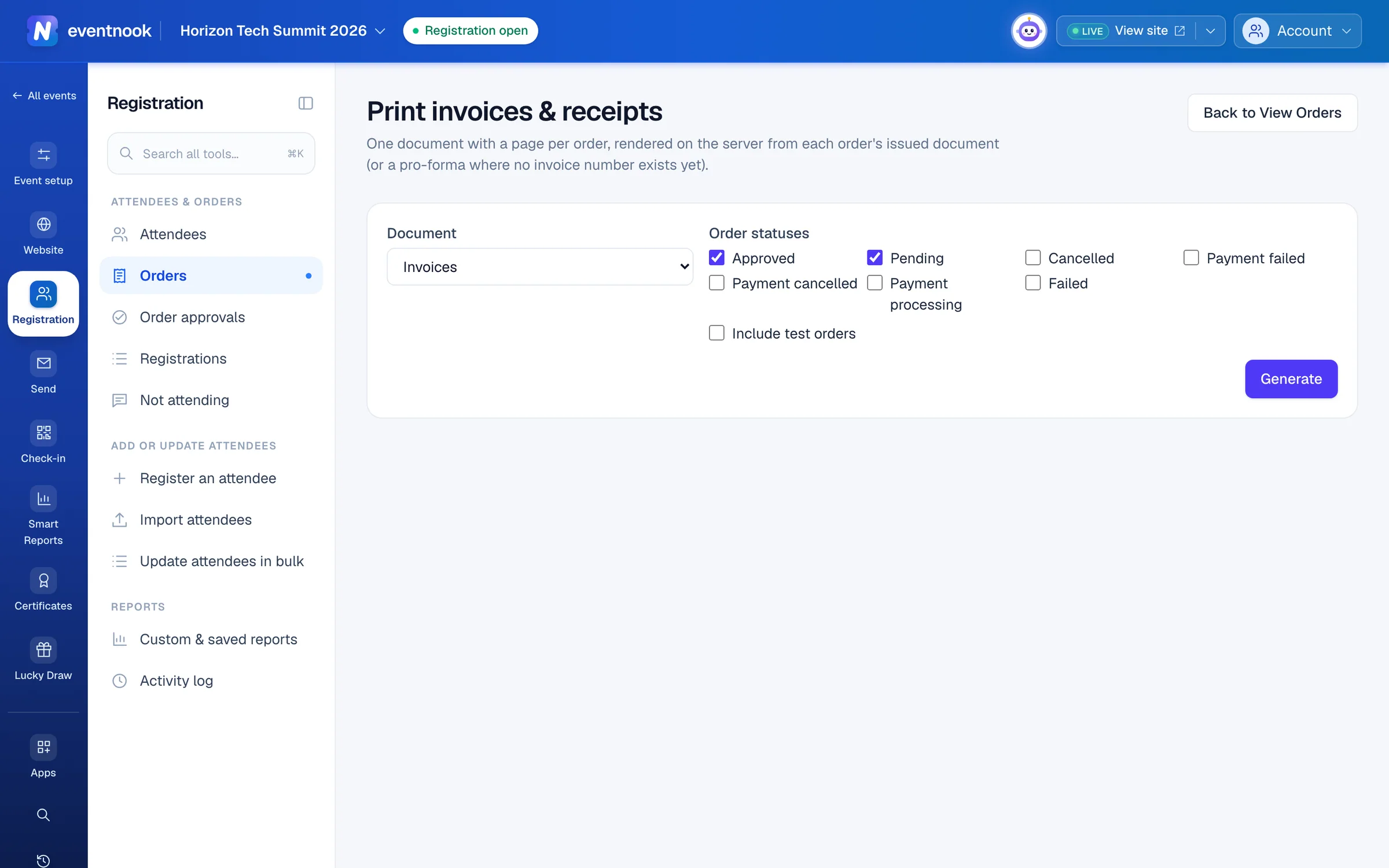
- 1Invoices or receipts
- 2Which orders to include
- 3Make the document, a page per order
Print the documents#
- Under Document, choose Invoices or Receipts.
- Tick the Order statuses to include. Approved and Pending are ticked to begin with.
- Optional: tick Include test orders.
- Click Generate. The card below counts the orders as they are processed.
- When it finishes, the document shows on the page. Click Download to print.
- Open the downloaded file in your browser and print it, or print it to PDF.
Orders that couldn't be included are listed under Not included, each with the reason.
If something looks wrong#
- "The selection has more than 5000 orders". One document holds at most 5,000 orders. Untick some statuses, or print in several runs.
- "Your role cannot print invoices or receipts in bulk". Every page names the buyer, so printing in bulk needs a role that can export personal data.
- You need a PDF. Print the downloaded file to PDF from your browser.
- The document is no longer there. It is kept for a limited time, like other exports. Click Generate again.
Who can do this#
Event Admin and Event Editor roles can print in bulk. An Event Analyst can open the page, but Generate is refused, because the documents hold buyers' names. A role that can't export sees "Your role cannot print order documents in bulk."
Related guides
- Find and export ordersFind any order by number, name or email, narrow the list by status and payment, keep the layouts you use as views, and export exactly what you see.
- Set up invoices, receipts and taxPut your billing details on invoices, receipts and credit notes, choose how they are numbered and how they look, and charge tax on the tickets you choose.
- Change, cancel or refund an orderOpen one order to see who bought, what they paid and who is attending, then edit it, resend its email, record a payment, cancel it or refund it.
Still stuck? In EventNook, ask HeyNook. It knows the page you're on and your event, and can take you straight to the right setting.